Directory Listing Checker: Find and Fix Open Directory Listings
You have almost certainly seen one: a bare page titled "Index of /" listing files and folders like an old file browser. That is an open directory listing, and when it appears on a folder that holds backups, uploads, configuration or exports, it quietly hands every visitor a complete map of your files — and a one-click download of each one. This guide explains what directory listing is, why it is dangerous, how a directory listing checker finds it, and the exact fix for every major web server.
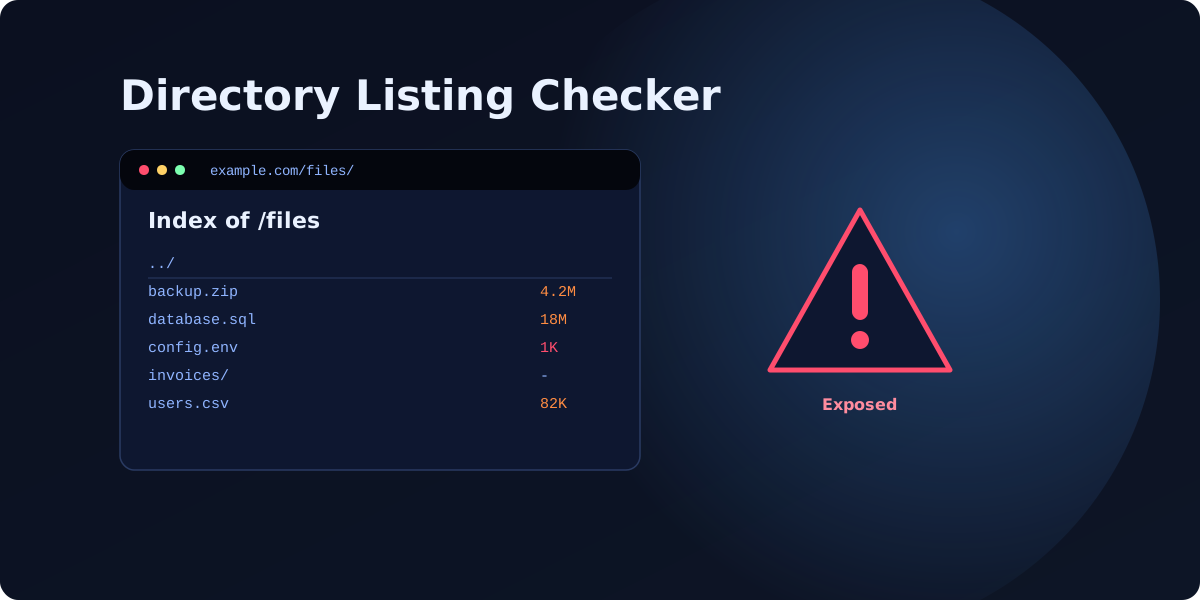
What is directory listing?
When a browser requests a folder (say /files/) instead of a specific page, the web server has to decide what to show. If an index file like index.html exists, it serves that. If not, the server can do one of two things: return a 403 Forbidden, or — if directory listing is enabled — automatically generate a page listing everything inside the folder. That auto-generated "Index of /files" page is the problem. It was a convenience feature from the early web, and on most modern servers it should be switched off.
Why an open directory listing is dangerous
A listing is not an exploit by itself, but it removes the single biggest obstacle for an attacker: not knowing where things are. Instead of guessing filenames with a dir search, they simply read the list.
The real damage is what the folder contains. Open listings routinely expose sensitive files — backup.zip, database.sql, an .env file with database passwords and API keys, invoices, or a users.csv export. Any one of these is a serious breach on its own. Our guide to sensitive files that should never be public covers the full list, and directory listing is one of the most common website vulnerabilities because it is so easy to leave on by accident after a migration or a quick file upload.
How a directory listing checker works
A directory listing checker requests your folders and inspects the response for the tell-tale signs of an auto-generated index: the "Index of" title, the parent-directory ("../") link, and the column layout of names, sizes and dates. VitalSite’s directory listing check does this across every directory it discovers while crawling your domain, so you are not checking folders one at a time by hand. A free scan flags any folder that browses openly and tells you precisely which files are exposed.
How to disable directory listing
The fix is almost always a single configuration change. Apply it, then re-check to confirm the folder now returns 403 instead of a listing.
Apache
Add Options -Indexes to your .htaccess file or the virtual-host configuration. The leading minus turns the Indexes option off for that directory and everything beneath it.
Nginx
Nginx does not list directories by default, but if it was turned on, find autoindex on; in your server or location block and change it to autoindex off; (or remove the line).
IIS and others
In IIS, open the site in IIS Manager, select Directory Browsing, and choose Disable — or set it in web.config. On most managed hosts and CDNs there is a single toggle in the control panel.
Comparison: how to disable listing by server
| Server | The fix | Where to apply it |
|---|---|---|
| Apache | Options -Indexes | .htaccess or the vhost config |
| Nginx | autoindex off; | server or location block |
| IIS | Disable Directory Browsing | IIS Manager or web.config |
Whichever server you run, the change takes seconds and breaks nothing — legitimate pages still load, only the auto-generated listing disappears.
Four steps to lock down directory listing
- Disable listing globally, not folder by folder, so new directories are covered automatically.
- Add an index file (an empty index.html) to folders as a belt-and-braces fallback, so even a misconfigured server shows a blank page instead of contents.
- Move secrets out of the web root — backups, exports and config belong outside the publicly served directory entirely.
- Re-scan after every deploy, because a single uploaded folder can re-expose everything. Continuous monitoring catches it the same day.
Check whether any folder on your site is browsing openly — run a free security scan across your whole domain, or see pricing for monitoring and full, server-specific fix guides.
FAQ
What does ‘Index of /’ mean on a website?
+Is directory listing a security vulnerability?
+How do I disable directory listing in WordPress?
+Scan your own domain free
See which of these issues affect your site — with exact fixes.
Scan Your Domain — Free